
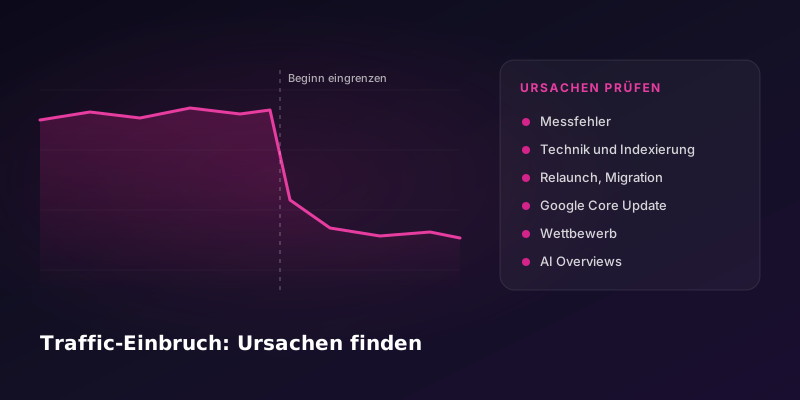
- A traffic drop is a clear decline in organic clicks that can't be explained by seasonality or measurement errors.
- First check whether it really is a drop: Search Console counts clicks on Google's side, so it is independent of the tracking and cookie banner on your website.
- The most common causes are technical changes, a relaunch, Google core updates, competitors and AI answers in search.
- If positions stay stable but clicks fall, the cause often lies in the search results page itself, for example AI Overviews.
This guide helps you narrow down why organic traffic dropped or rankings fell. It sorts the typical causes, shows how to recognize each one in Google Search Console and gives you an order in which to check them. If you would rather hand off the diagnosis, an SEO audit is the right next step.
Traffic dropped: first check whether it's a measurement error
Before you look for causes, check whether the decline is real. Many apparent drops are measurement problems.
- Tracking: Was anything changed in Tag Manager, Analytics or on the website on the day the decline started? Is the tracking code missing on some pages?
- Cookie banner: If consent settings changed, Analytics may record fewer visits even though the same number of people arrive.
- Time period: Are you comparing periods of equal length with the same weekdays?
- Seasonality: Did the decline also happen at the same time last year?
The most important comparison is Search Console against Analytics. Search Console counts clicks from Google Search directly at Google. If clicks are not falling there but are falling in Analytics, the problem is usually the measurement, not the rankings.
The most common causes of a traffic drop
| Cause | Typical pattern in Search Console | First check |
|---|---|---|
| Technical change | Abrupt decline from a specific day, often only in certain directories | Page indexing report and URL Inspection, noindex and robots.txt |
| Relaunch or migration | Decline from go-live, old URLs disappear, new ones don't show up | Test the redirects of your top pages |
| Google core update | Position losses across many pages, timed with an update | Check the update period in the Search Status Dashboard |
| Manual action | Heavy loss for whole sections or the entire website | Open the "Manual actions" report |
| Competition | Individual search terms slowly slipping over weeks or months | Look at the search results for your most important terms |
| AI Overviews and other SERP elements | Positions and impressions stable, clicks and click-through rate falling | Look at the search results page for the affected terms |
Technical changes and indexing problems
A common case: the IT provider changes something on the server, CMS or templates, and shortly afterwards visibility falls. Typical triggers are an accidentally set noindex, a robots.txt that blocks important sections, wrong canonical URLs, broken redirects or content that suddenly only loads via JavaScript. In Search Console, the indexing report shows whether pages are dropping out of the index and why. URL Inspection shows for individual pages how Google last fetched them. The key technical checkpoints are in the technical SEO checklist, and our technical SEO service helps you fix them.
Relaunch or migration
If the decline coincides with a relaunch, a CMS switch or a domain change, start with the redirects. Check the pages that had the most clicks before: do they redirect correctly, is the target indexed and is the content still there? All checkpoints before, during and after go-live are in the website relaunch checklist.
Google core updates
Several times a year, Google makes major changes to its ranking systems and calls them core updates. According to Google, they are not aimed at individual websites (Google Search Central). The start and end of each update are listed in the Search Status Dashboard.
Google recommends waiting at least one full week after an update has finished and then comparing the week after with a week before the update in Search Console. For small shifts, such as from position 2 to 4, Google advises against major changes. For big losses, Google recommends an honest review of the whole website using its questions on helpful content. According to Google, quick one-off fixes achieve little, and improvements can take several months to show.
Manual actions ("Google penalty") and spam links
Google imposes a manual action when a human reviewer finds that pages violate its spam policies. You are informed in the "Manual actions" report and in the messages section of Search Console. According to Google, however, spam is detected automatically by algorithms in most cases (Search Console Help). If the report is empty, there is no manual action. Once you have fixed the problem, you submit a reconsideration request there. How to check whether bought or low-quality links are the cause is described in the guide Checking and cleaning up your link profile.
Competitors and changes in the search results
If individual pages slowly slip without you having changed anything, look at the search results themselves. Who is ranking above you now? Has the type of page changed, for example from guides to shops or comparisons? Have new elements such as videos, map sections or question boxes appeared that take up space?
AI Overviews: rankings stable, clicks falling
If positions and impressions stay the same while clicks and click-through rate fall, an AI answer above the search results may be the cause. Pew Research analyzed the search behavior of 900 adults in the US: users who saw an AI summary clicked a regular search result in 8% of cases, compared with 15% without a summary (Pew Research Center, July 2025). There is no comparable public study for Switzerland. How AI Overviews work and how you can appear there as a source is explained in our guide to AI Overviews.
The diagnosis in seven steps
- Rule out measurement errors: compare clicks in Search Console with Analytics, check seasonality and the time period.
- Pin down the start: on which day or in which week did the decline begin?
- Match it to events: was there a technical change, a relaunch or a Google update at that time?
- Find the affected pages: in Search Console, sort pages by the largest loss of clicks.
- Check the technical setup of the affected pages: indexing, noindex, robots.txt, canonical, redirects, rendering.
- Look at the search results: who ranks above you now, and has the results page changed?
- Assess the content honestly: does the page answer the search intent better than the pages now ranking above you?
Why does a smaller competitor rank above you?
The size of a company says little about how well a single page answers a search query. A smaller competitor often ranks higher because their page does exactly that better. Common reasons are broader coverage of the topic, a page type that fits the search intent better (a guide instead of a product page, for example) or more links and mentions from the industry. Compare your page with theirs section by section: which questions do they answer that you leave out?
Traffic falls, inquiries stay stable: is that a problem?
Not necessarily. If it is mainly clicks on guides and informational pages that decline while inquiries and sales stay stable, you may be losing visits that would rarely have turned into customers anyway. Check which pages lost clicks and which pages your inquiries come through. If clicks on pages close to a purchase decision fall, you should act, even if inquiries are still stable. Ongoing SEO monitoring shows you such shifts early.
Why can't Google find my website?
If a website can't be found at all, it is often not indexed, or only partly indexed. With new websites, Google sometimes simply lacks a pointer to the pages, because no sitemap has been submitted or no other websites link to them. Use URL Inspection in Search Console to check whether the homepage and your most important pages are in the index. If they are indexed but invisible, you usually lack content for the terms your customers search with.
When an SEO audit makes sense
An SEO audit is worth it if the step-by-step checks don't clearly reveal the cause, if several causes come together or if the drop affects business-critical pages. An audit checks technology, indexing, content and links systematically and prioritizes the actions by impact. This guide helps you narrow things down; the audit delivers the full diagnosis.
Updated: November 7, 2026 · Author: Baris Gündogdu, founder of SEOX GmbH
Sources: Google Search Central, Google Search's core updates and your website, developers.google.com; Google Search Status Dashboard, status.search.google.com; Search Console Help, "Manual actions" report, support.google.com; Pew Research Center, Google users are less likely to click on links when an AI summary appears in the results, July 22, 2025, pewresearch.org.